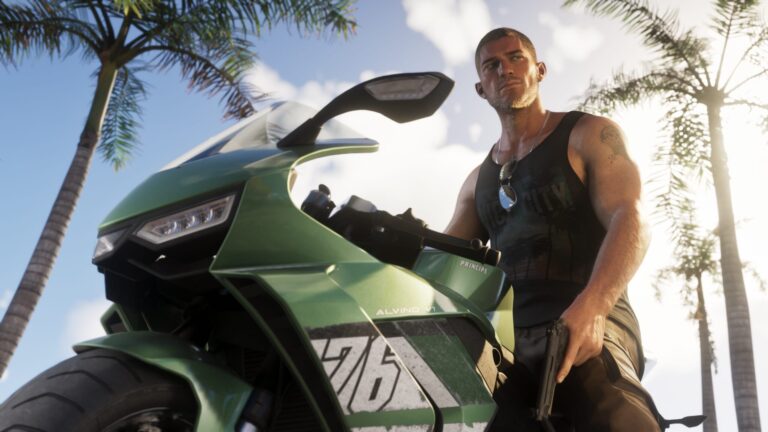
The GTA 6 Buck Me Walkthrough unlocks the game’s banking app. Jason meets Lucia at a Fleeca branch in Key Lento, discovers why a regular account isn’t an option and learns to transfer money into Family Savings.
Most of this mission is conversation. The important choice comes when BuckMe asks you to move the first $100: Family Savings deposits are permanent, so it’s worth knowing what that account is for.
GTA 6 Buck Me Walkthrough: meet Lucia at Fleeca

Lucia calls about half a day after Coming Home and asks Jason to meet her at the local bank. Drive to the marked Fleeca branch in Key Lento and speak to the teller behind the counter.
She points you to the manager, who’s sitting at a desk on the right-hand side. Follow him into his office. He goes over their poor credit history and suggests a phone-based alternative to a conventional account.
Open the BuckMe app
After the bank scene, the pair return to Jason’s house. The new checking account receives a $100 welcome deposit. Open the phone with the up direction on the D-pad and look for the purple icon marked with a B.
Select it to launch BuckMe. This app becomes the main place to check the couple’s account balance, move money and find ATMs. The $100 welcome gift is already in checking when you open it, so you don’t need to look for cash in the house or visit an ATM first.

GTA 6 Buck Me Walkthrough: transfer $100 to Family Savings
Choose Checking Account, then select Buck Yourself to move the welcome money into Family Savings. Completing that transfer finishes the account setup.
Money in Family Savings cannot be withdrawn later. You contribute to it to unlock discounts and raise checking-account limits, not to build a pot you can spend whenever you’re short of cash. You can still deposit and withdraw ordinary cash through your checking account at ATMs.
GTA 6 Buck Me Walkthrough: what if you can’t spend your cash?
Vendors accept pocket cash for purchases under $1,000. More expensive purchases go through BuckMe instead, so keep enough spendable money in checking rather than sending everything to Family Savings. Depositing cash can also protect more of it when Jason dies: pocket money is at greater risk than money held in his bank account, although the checking balance isn’t completely immune.
After Buck Me, you can follow the separate ATM deposit tutorial if you want to practise banking pocket cash. The long-running Save for the Future objective tracks Family Savings milestones, but those extra contributions aren’t required to finish Buck Me.
GTA 6 Buck Me Walkthrough: what happens to cash afterwards?
The app has an ATM Finder that can mark a cash machine on the map. That’s where you can bank pocket cash or take money out of checking. Keeping less cash in your pocket can also reduce what you lose when Jason dies.
Checking has its own balance limit. If you reach that ceiling, incoming payments can be held until there’s room again. Every Family Savings milestone increases that limit and unlocks discounts. The savings are separate from spendable cash: every deposit stays there permanently but works towards the next bonus threshold.
Once the tutorial ends, Jason and Lucia spend the evening together at home. The next story jobs can arrive through calls, including the delivery work that follows the reunion.
The GTA 6 Buck Me Walkthrough is complete after the $100 Family Savings transfer. Later savings targets and ATM deposits have their own guides.
Official media and game information: Rockstar Games, Grand Theft Auto VI.