EVE Fractured Skies new HUD is an optional interface preview released with the 10 November 2026 expansion. You can turn it on through the EVE Online client settings, try the redesigned command board and switch back if you prefer the familiar layout. CCP has not made the entire new interface compulsory.
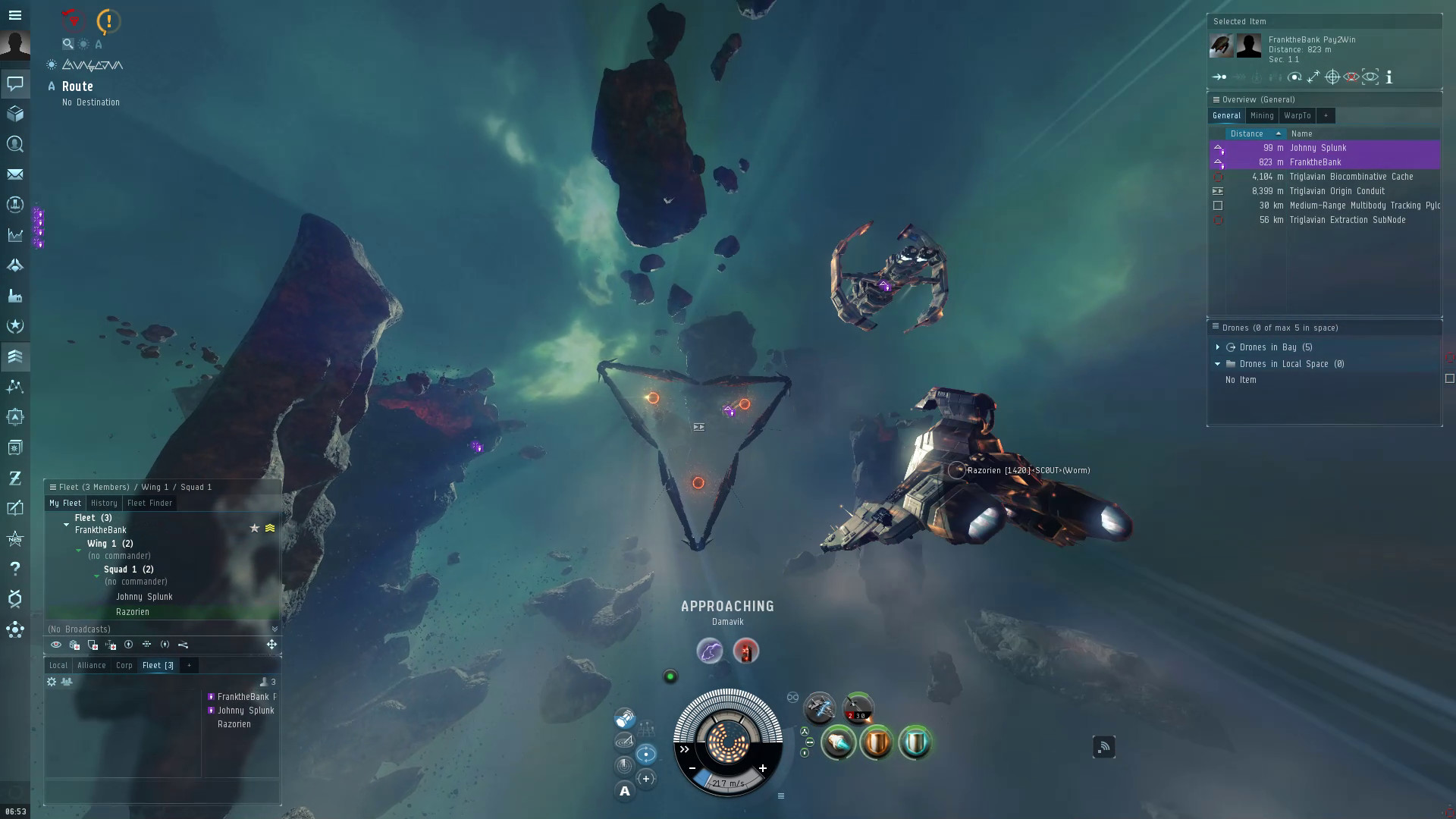
The EVE Fractured Skies new HUD currently focuses on the command board at the bottom centre of the screen: the capacitor, shield, armour and hull indicators, active module information and heat controls. It is aimed at making important ship information easier to read during combat without stripping out the detailed controls that experienced pilots use.
How to enable the EVE Fractured Skies new HUD
- Open EVE Online and enter the game with your character.
- Open the client’s Settings.
- Find the Feature Previews section.
- Select New Ship HUD under Feature Previews and enable it. This is the optional ship command board preview, not a graphics-quality setting.
- Return to the game and check the command board at the bottom centre of your display.
The EVE Fractured Skies new HUD doesn’t require a separate download or mod. Press Esc, open Feature Previews, and select New Ship HUD. If you don’t like the layout, return to the same setting and switch it off. The current opt-in version changes ship controls, not the whole EVE interface.
What changes with the EVE Fractured Skies new HUD?
The biggest visible change is the way ship status is arranged around the capacitor. Shield, armour and hull status appear together in clearer proportions around the central capacitor indicator. This gives you a more immediate view of which defensive layer is being damaged without constantly searching different areas of the interface.
There is also a gauge showing the rate at which your capacitor is gaining or losing energy. This makes a heavy capacitor drain much easier to spot mid-fight, but it doesn’t make an unstable fit capacitor-stable.
In the EVE Fractured Skies new HUD, heat controls sit closer to the module racks they affect, and the state of each active module and its cycle is more clearly indicated. CCP also reorganised speed controls and related utilities to make manual piloting and overheating easier to find when you need them.
Does the preview change the whole EVE interface?
No. This initial version is specifically about the command board, historically the area containing EVE’s medallion, module racks and ship status. It is not a complete replacement for the overview, inventory, fitting window, market, wallet and all the other screens players use.
The overview, inventory, market and other major windows haven’t been rebuilt as part of this first preview. The changes are concentrated where the game presents immediate piloting information. If you have a custom interface layout, check where your favourite controls appear after enabling the preview rather than assuming the rest of your screen has been rebuilt.
How to switch off the EVE Fractured Skies new HUD
Open Settings > Feature Previews again and switch off the New HUD option. CCP has said the new interface will remain optional while it collects feedback and continues development. You can compare both versions without committing to the experimental command board permanently.
If you fly in a demanding fleet or use a carefully practised set of heat and speed controls, the best time to test a different layout is while docked or during a low-risk activity. Familiarise yourself with the movement and activation indicators before taking an expensive ship into a fight.
Known issues with the EVE Fractured Skies new HUD
CCP’s launch-day known-issues list flags several problems with the preview. The Mining Surveyor icon might not update when a Mining Foreman Burst is switched on or off, and damage, overheating and cooldown colours may not display correctly in colourblind mode. More importantly, pressing Shift can activate Overheat even when you’re typing in a text field. Be careful when chatting or editing notes in space with the preview enabled.
These problems affect what the HUD displays, not the damage or capacitor calculations themselves. If a module state is unclear, check the existing gameplay indicators and the latest patch notes rather than relying only on a colour change.
Is the new HUD faster or better for combat?
The EVE Fractured Skies new HUD aims to make the command board clearer, not boost frame rates. This update does not promise lower ping or better server performance. A pilot who already knows the original interface inside out may prefer to keep using it for now, while someone who struggles to read heat or capacitor changes may find the preview more comfortable.
Before using the EVE Fractured Skies new HUD in combat, try activating modules, changing speed, watching capacitor levels and managing heat in a safe area before taking the new layout into combat. If you use Shift frequently while typing, the reported Overheat bug is another good reason to stick with the original HUD until CCP fixes it.
Official source: CCP Games’ Fractured Skies expansion notes.