Completed The Hunt 20 Event Badge is the Base Wars completion badge for the 2012 stage of The Hunt: Roblox 20. The shortest reliable route is to complete the separate 2012 flag objective in the Hunt hub before relying on the Base Wars match result, then finish a Base Wars Skirmish with the event objective active, where a win can complete the match requirement and a completed loss can add partial progress.
The Completed The Hunt 20 Event Badge matters because it is the game-side confirmation that the featured experience has registered your Hunt progress. After that, return to the 2012 hub and claim Manliest Man Award after the stage registers.
How to Get the Completed The Hunt 20 Event Badge
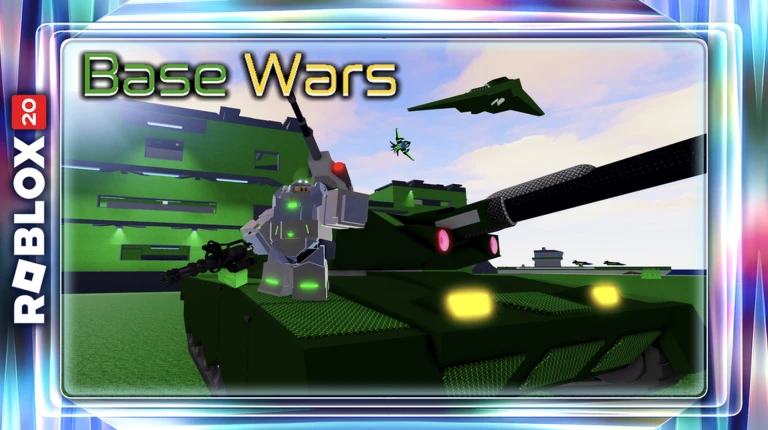
Completed The Hunt 20 Event Badge Image Roblox Corporation.
The cleanest Completed The Hunt 20 Event Badge route is to keep the hub requirement and the featured-game requirement separate in your head. Finish each checkpoint in order, watch the event counter after the important interactions, and do not leave the game the instant the last action looks complete.
- Reach the 2012 stage and complete the hub-side flag delivery.
- Enter Base Wars with the Hunt event objective active.
- Play the full Skirmish instead of leaving a difficult match early.
- Aim for a win because one victory is the quickest completion.
- If you lose, check the event bar because a completed loss can still add progress.
- Continue until the Completed The Hunt 20 Event Badge appears, then return to the hub.
Once the last step completes, give the Completed The Hunt 20 Event Badge a moment to appear before returning to the main Hunt hub. Roblox event progress can take a short moment to sync, and leaving during that handoff can make a finished objective look unfinished until you rejoin.
Do You Have to Win Base Wars
For the Completed The Hunt 20 Event Badge, a win is the fastest route, but the event can award partial progress for a completed loss. That makes staying through the result screen important. Leaving early can waste a match that would otherwise have moved the Hunt bar forward.
Watch the live Hunt objective rather than relying on memory from a normal session. The Completed The Hunt 20 Event Badge is tied to the anniversary state, so ordinary gameplay that resembles the task is only useful when the event tracker is active.
Use the Battle Tank if You Need a Faster Route
Base Wars gives you access to vehicles as well as infantry weapons. The Battle Tank can be useful for applying pressure and surviving ordinary gunfire while you help your team push the objective. Use it as a tool for the match rather than treating a tank kill count as a separate badge requirement.
If you are unsure whether this part counted, check the event progress before repeating it. A visible change in the counter is a better checkpoint than simply assuming the Completed The Hunt 20 Event Badge will catch up after you leave the server.
Do Not Forget the Hub Flag
For the Completed The Hunt 20 Event Badge, the 2012 year has a hub task as well as the featured-game match objective. If Base Wars looks complete but the historical year will not advance, return to the hub and confirm the flag delivery was finished before replaying more Skirmishes.
Speed matters less than clean registration. A short, controlled route usually earns the Completed The Hunt 20 Event Badge faster than rushing through several actions and then having to work out which one failed to count.
Completed The Hunt 20 Event Badge Not Registering
For the Completed The Hunt 20 Event Badge, if the Completed The Hunt 20 Event Badge does not appear, first check the event progress after the result screen. A loss may leave you at partial progress rather than zero, so another completed match can be enough. Rejoin only if the event tracker itself appears stuck.
Before replaying the entire quest, rejoin the main Hunt hub once and let the year state refresh. If the badge is already present on your Roblox account, the remaining problem may be hub sync rather than the featured-game objective itself.
Claim the 2012 Reward
After the badge and hub task are complete, return to the Base Wars year in The Hunt: Roblox 20 and claim Manliest Man Award. The badge confirms the game objective, while the avatar item is claimed from the wider anniversary progression.
Claim the hub reward before moving on if it is available. The badge and the avatar item are connected, but they are separate checkpoints, and leaving the reward behind can force unnecessary backtracking later.
What to Do After the Completed The Hunt 20 Event Badge
After the badge is secure, return to The Hunt: Roblox 20 and confirm the year is marked complete. Claim the associated reward, then continue through the historical progression rather than replaying the same game objective.
If the hub still looks incomplete while the badge is visible on your account, use the hub-side troubleshooting route first. Rejoining the Hunt and checking the correct year node is safer than deleting a badge or restarting a long quest that has already been completed.