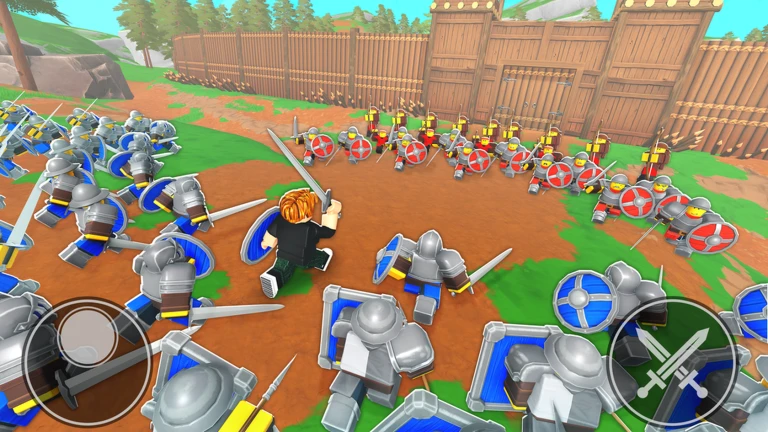
Command An Army Phalangite is one of the Update 3 additions that can make an older collection more valuable without sending every player back to the summon banner. The October patch spreads its new roster across Battle Pass progression, summons and evolutions, so identifying the correct route matters before you spend Gems or delete units that look outdated. Returning accounts may already have useful progression sitting in the collection, while newer players need to understand the game’s upgrade systems first. The safest starting point is to inspect the units you own and the live Evolve menu.
The timing also matters because the new spear-line content was adjusted almost immediately after release. Early footage can therefore show numbers that no longer match the current server, especially around damage and polearm rush behaviour. Update 3 adds Skill Trees and Auto Delete at the same time, creating more ways to invest in or remove the wrong unit while the meta is moving. Treat the new evolution as a controlled progression project: protect relevant copies, finish the requirements shown in game, then evaluate the current evolved card before committing additional resources.
How do you get Command An Army Phalangite?
Image credit: Fight, Fight, Fight! / Roblox
Command An Army Phalangite is the three-star evolution of Pikeman introduced in Update 3. Use an eligible Pikeman, raise its unit Mastery to the evolution gate, then complete the transformation through the lobby’s Evolve system. Command An Army evolution routes use Mastery level 20 as the key level requirement, so a fresh Pikeman needs progression before the new form becomes available.
| Detail | Phalangite route |
|---|---|
| Base unit | Pikeman |
| New form | Phalangite |
| Rarity | 3-star |
| Progression gate | Unit Mastery level 20 evolution |
The route starts with Spearman and Pikeman
Pikeman already belongs to the spear progression line, so many established players have one developed before Update 3. Check your collection first. If your best copy is already near Mastery level 20, Command An Army Phalangite may be one of the quickest new units to add because you are starting with banked progression rather than a new summon hunt.
The existing Command An Army Phalangite line also means Spearman progress can matter to players who have not yet reached Pikeman. Follow the game’s evolution chain until you have the Pikeman required for the new step, then continue the Mastery work on the unit that the live panel identifies. Do not assume a base Spearman can skip directly to the latest form.
Reach the evolution requirement before using Evolve
For Command An Army Phalangite, unit Mastery is the main level gate used by Command An Army evolutions. Raise Pikeman to Mastery level 20 through play, then check the Evolve menu. The important detail is that this is unit progression. A high account level does not substitute for a Pikeman that has not reached its own requirement.
If the button remains locked, read the current requirements displayed for that exact copy. Community documentation around older evolutions sometimes disagrees about extra conditions, so the live interface is the correct place to confirm anything beyond the established Mastery gate. Command An Army Phalangite should never require guessing what the menu is asking for.
Use the lobby evolution area
The Command An Army Phalangite route uses the Evolve station is in the upgrade section of the lobby near the summoning area, with the large golden dragon as a useful landmark. Open the evolution interface, select the Pikeman and review the resulting form before confirming. Evolution changes the named form of the unit, which is different from Ascension using duplicate copies to improve the same form.
That distinction matters when preparing Command An Army Phalangite because duplicates, Mastery and evolution are separate progression ideas. Do not feed or delete a useful Pikeman copy just because another system is asking for units. Decide which copy is your evolution project and protect it while you finish the route.
Phalangite was nerfed after launch
The first Command An Army Phalangite post-Update 3 balance work reduced Phalangite’s damage from 28 to 23. Polearm rush damage also gained target falloff, dealing full damage to the first target, then less to later targets in the same rush sequence. Those changes explain why a launch-day showcase can make the unit look different from what you see now.
For Command An Army Phalangite planning, current behaviour matters more than the original card. Test the evolved unit in the formation you actually use and pay attention to how its polearm role interacts with clustered targets. A balance nerf does not automatically make an evolution bad, but it does mean you should not spend Skill Crystals based on pre-nerf footage.
Check the star budget and role
Command An Army Phalangite is a three-star unit. That gives it a different roster cost from four-star additions such as Khorchin, Myrmidon and Morningstar, and from the five-star Laestrygonian. The lower star cost can be useful if you need to keep room for another expensive slot, but the final choice still depends on what your army needs against the teams you are facing.
Command An Army Phalangite belongs to a spear and polearm line, so judge it as part of your anti-charge or formation-control plan rather than only by rarity. If it replaces a Pikeman that was already performing an essential job, the evolution should be tested for that same job before you rebuild the rest of the composition around it.
Use Update 3 systems to level the route efficiently
For Command An Army Phalangite, work on the unit while completing Battle Pass objectives or Ranked sessions so the Mastery grind is not isolated from the rest of the update. Redeem current codes before you start, keep any earned Skill Crystals for the units you truly plan to use, and review Auto Delete so spear-line copies are not removed automatically.
Command An Army Phalangite is one of the cleaner Update 3 acquisition goals because its endpoint is tied to progression rather than a tiny summon rate. The best use of that certainty is to overlap the Mastery work with other objectives, evolve once the live requirements are met, then test the current post-balance version before making deeper Skill Tree investments.
Official source: Official Command An Army Discord update log