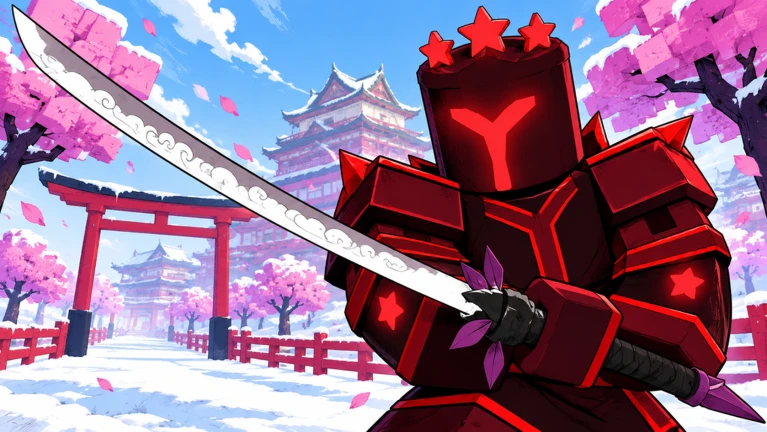
Iron Soul Dungeon Trading Island is the Season 4 destination associated with the game’s new player trading system. It was highlighted during the Trade and 2X Drops event after the Season 4 preview had already announced that trading was coming. That makes Trading Island an important stop for players who want to exchange useful gear rather than simply sell or discard equipment that does not fit their build.
Public event sources confirm that Trading Island exists, but they do not publish a permanent map route, universal level requirement or complete table of tradeable items. That means the live game must be used for the final access prompt and restrictions. The useful part of a guide is therefore explaining what to expect, how to prepare and how to avoid common trading mistakes rather than inventing a requirement that may change.
What is Iron Soul Dungeon Trading Island?
Iron Soul Dungeon Trading Island is the area tied to the Season 4 trading rollout. Its purpose is to bring players together for item exchanges and give the new trading system a clear destination rather than treating trade as an invisible menu feature.
The island matters because Iron Soul has a large amount of equipment with different uses. An item that is weak for one build may be valuable to another player, especially when weapon type, stats or progression goals differ. Trading can therefore turn inventory clutter into a useful upgrade without requiring both players to farm the same content.
Trading Island should not be confused with an unofficial marketplace. The safe exchange happens through the game’s own trade system. Any request to leave Roblox, share an account or pay through an outside service is separate from the official system and should be avoided.
How to get to Iron Soul Dungeon Trading Island?
Because Season 4 is recent and the public event information does not publish a fixed navigation sequence, use the current destination or event interface in game to reach Trading Island. If your server shows an access requirement, that live prompt is the requirement that applies to you.
If Trading Island does not appear where expected, first check that you are on a current server. Leaving and joining a fresh server can help after an update, especially when an older server was created before a new event or destination went live.
Next, check the Season 4 event interface and any destination selection menus. Do not assume that a missing island means your account is permanently locked out. The rollout has included event changes, and the destination can be presented differently after patches.
What can you do on Trading Island?
The main reason to visit is to trade with other players. Agree on what is being exchanged, open the official trade interaction and add the items that the game allows. Review the final offer carefully before confirming.
The live trade window is also the easiest way to discover whether an item is currently tradeable. If an item is blocked, greyed out or refused by the interface, treat that as a stronger signal than a community list. Public sources do not provide a complete permanent eligibility table for every weapon, armour piece, currency and event reward.
Trading Island can also function as a social market because players gather there with items and offers. That is useful for finding potential trades, but it also means values can be noisy. One player’s asking price is not an official market value, and new Season 4 items can fluctuate heavily while supply is still changing.
How to avoid bad trades
Inspect the full item rather than the icon. Similar equipment can have different stats, bonuses or upgrade states. Make sure the item in the final window is the one that was discussed, especially if the other player changes anything before confirmation.
Do not rush because someone claims another buyer is waiting. Artificial urgency is a common way to push poor decisions. If the trade is fair now, it will still be fair after you take a few seconds to verify the details.
Avoid outside payment, account sharing and promises of later compensation. The official system is designed to exchange what both players can see in the trade window. Anything that depends on trust after the trade completes introduces unnecessary risk.
What should you bring to Iron Soul Dungeon Trading Island?
Bring items you genuinely do not need, but avoid clearing your whole inventory on the first visit. Season 4 includes Odin, Ragnarok and Endless Tower content, and an item that seems unnecessary today may fit a later build or modifier.
Duplicates and off build equipment are natural candidates to evaluate. Before offering them, decide what your account actually needs. Trading is more efficient when you have a target, such as a better fit for your weapon style or a missing type of equipment, rather than simply swapping because an item looks rare.
It is also worth checking current codes before spending a long time trading. A code may provide a reroll, ticket or other progression resource that changes your priorities without requiring an exchange.
Is Trading Island permanent?
The public information confirms Trading Island as part of the Season 4 trading rollout, but it does not clearly state the permanent long term status of every event presentation connected with its launch. Trading as a system may remain even when a promotional Trade and 2X Drops weekend ends.
Players should therefore separate the temporary event from the feature itself. A double drop weekend can expire while Trading Island and player trading continue. Use the live game after an event deadline rather than assuming the whole trading system has disappeared.
How Trading Island fits into Season 4
Iron Soul Dungeon Trading Island gives Season 4 progression another route besides direct farming. If the Endless Tower reveals a weakness and another player has an item that solves it, trading can be more efficient than repeatedly farming content that does not serve your current goal.
The same logic applies before Odin or Ragnarok. A small improvement that makes clears more reliable can be more valuable than chasing a flashy item that does not fit the build. Use trading to support progression rather than replacing it with speculation about market prices.
The official Iron Soul: Dungeon Roblox page is the safest place to join the current build and check whether Trading Island access or trade restrictions have changed Iron Soul: Dungeon on Roblox.
Iron Soul Dungeon Trading Island is useful because it gives unwanted gear a possible second purpose. Reach it through the current game interface, use only the official trade system, confirm every item before accepting and let your build needs decide what is worth exchanging. Until the developers publish a complete permanent rules table, the live trade window remains the best source for item eligibility and restrictions.
Related Guides
- Iron Soul Dungeon Season 4: Everything New and How to Start
- Iron Soul Dungeon Ragnarok: How the Challenge Works and What Rewards Are Confirmed
- Iron Soul Dungeon Trading: How to Trade and What the Requirements Are
- Iron Soul Dungeon Season 4 Progression: What to Do First
- Iron Soul Dungeon Odin Challenge: How Cards, Difficulty and Scoring Work
- Iron Soul Dungeon Endless Tower: Season 4 Changes and Strategy
- Iron Soul Dungeon Season 4 Events: Current Schedule and Deadlines
- Iron Soul Dungeon Codes October 2026: Latest Working Codes