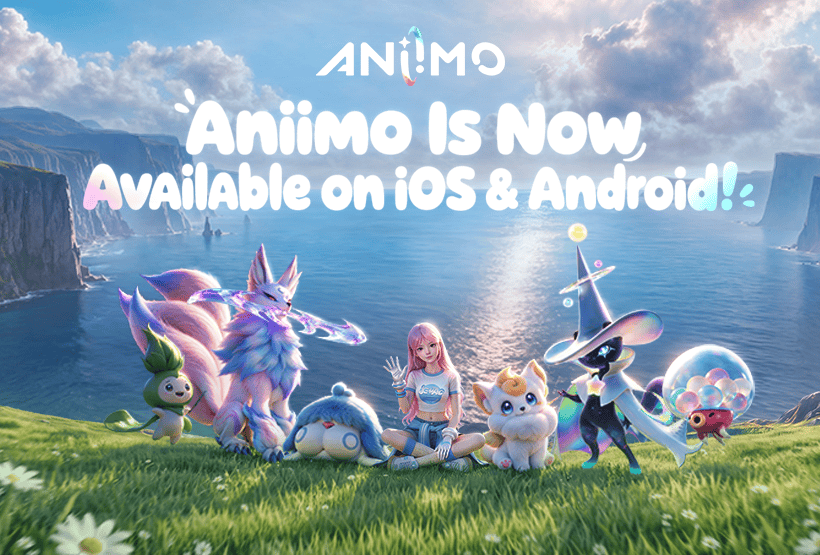
Aniimo Obsidian Variant is a new mobile-exclusive form tied to the September 23, 2026 launch on iOS and Android. Fresh launch reporting from multiple outlets identifies Obsidian as a form available through the mobile version, while Pawprint Studio’s own launch notice confirms that mobile now shares progress with PC and console when you use the same account on the same server.
The important part is separating what is confirmed from what is not. The Aniimo Obsidian Variant is real and mobile-specific, but Pawprint Studio’s public mobile launch post does not publish a universal Obsidian quest, claim button, spawn rate, egg recipe or shop purchase. That means players should not follow an unverified route just because another rare form or an Egg Heist item also uses dark or obsidian-themed naming.
Aniimo Obsidian Variant: What Is Confirmed?
\n\n
\n
Aniimo Obsidian Variant Image Pawprint Studio.
\nThe clearest confirmed point about the Aniimo Obsidian Variant is platform availability. Launch coverage published alongside the mobile release describes Obsidian as a new form added to the mobile version and unavailable directly on PC and console builds. This makes mobile worth checking even for players who already started their account on another platform.
Mobile itself is not a separate progression track. Pawprint Studio says the same account can carry adventure progress, resources and party lineups between supported platforms as long as you choose the same regional server. If you already play on PC or console, use the existing account rather than starting a second character. Our Aniimo cross-progression guide explains the account rule, while the mobile transfer guide covers the login process.
How to Access the Mobile Version Without Losing Progress
To put your existing account in position to access the Aniimo Obsidian Variant, install Aniimo on iOS or Android and sign in with the same Aniimo account and server used by your main character. There is no manual save-file transfer. If the expected character does not appear, stop before making substantial progress on the wrong profile and check the account and server again.
- Install the official iOS or Android client.
- Use the same Aniimo account as your existing character.
- Select the same regional server.
- Confirm your normal roster and progress appear before chasing mobile-only content.
- Check the current in-game event, Aniilog and activity menus for any Obsidian-specific requirement shown by the live client.
If your phone is struggling to install or run the game, check the Aniimo mobile system requirements first. The mobile client also launched alongside Version 1.1, so the Aniimo 1.1 update guide is useful for separating mobile launch changes from unrelated event content.
Obsidian Is Not the Same as Umbrabow
Do not automatically treat the Aniimo Obsidian Variant as another name for Umbrabow. Umbrabow already exists as its own rare form category with documented wild and egg routes. The Click’s Umbrabow guide covers those methods separately.
This distinction matters because the current launch reporting describes Obsidian as a new mobile-specific addition. Using an Umbrabow egg or finding an Umbral encounter should not be presented as a guaranteed Obsidian method unless the live mobile client explicitly says so.
Do Not Confuse the Variant With the Obsidian Material
Aniimo also contains an Epic material named Obsidian in Operation: Egg Heist. That item is a black gem gathered inside the extraction activity and is not evidence that you have unlocked the Aniimo Obsidian Variant. The shared name makes search results especially easy to misread.
If you are looking at Egg Heist progression, use the Egg Heist unlock guide for the activity itself. Version 1.1 also adds Egg Heist Chaos Mode, but neither public launch notice describes Chaos Mode as the universal method for obtaining the mobile-exclusive form.
Can You Get Aniimo Obsidian Variant on PC or Console?
Current launch coverage says the Aniimo Obsidian Variant is exclusive to mobile, so PC and console should not be treated as direct acquisition platforms. Pawprint Studio does confirm cross-platform progress, but its public mobile launch notice does not specifically say that a mobile-exclusive form becomes selectable on PC or console after you obtain it.
That is an important limit. Shared account data does not automatically prove that every platform-exclusive cosmetic or form can be used on every device. If the game shows an Obsidian form on your mobile roster, follow the platform label and availability shown by the live client rather than assuming the same presentation must appear elsewhere.
How to Check Aniimo Obsidian Variant in the Mobile Client
The safest practical route for the Aniimo Obsidian Variant is to use the mobile client with your main account and check the current requirement shown in game. Pawprint’s public September 23 mobile announcement confirms the global iOS and Android launch, same-server cross-progression and mobile rewards, but it does not list a single public Obsidian acquisition step.
For current platform information, use the official Aniimo mobile launch announcement. If an Obsidian-specific task, egg, event or claim requirement appears in your client, the live requirement should take priority over older beta instructions or guides that confuse Obsidian with Umbrabow.