Anomaly Detected Chapter 5 Walkthrough is the guide you need once The Mall appears in your contract list and the familiar surveillance loop suddenly feels much busier. Chapter 5 keeps the same core idea as the earlier chapters: memorise the normal state of every feed, watch for changes, and report anomalies before too many slip past you.
The Mall rewards patience more than frantic clicking. The official Roblox description specifically tells players to memorise every room, watch for misplaced objects, lighting changes and moving shadows, and use headphones. That advice matters even more here because Chapter 5 is the newest contract and has its own normal completion, Veteran completion and Journal goals.
Anomaly Detected Chapter 5 Walkthrough: how to clear The Mall
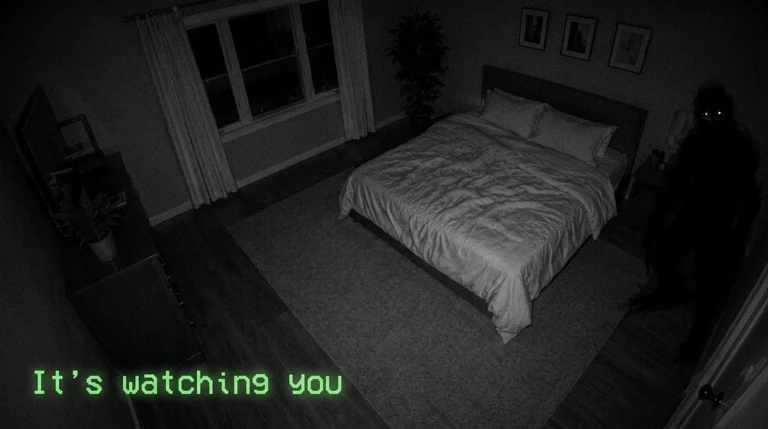
Anomaly Detected Chapter 5 Walkthrough Image Roblox.
The safest way to approach Chapter 5 is to treat the first clean look at each camera as your reference point. Do not rush into reporting the first thing that feels unusual. Run one deliberate sweep, pick out a few anchor details in every feed, then repeat the same viewing order for the rest of the shift.
A good Anomaly Detected Chapter 5 Walkthrough is less about memorising a giant internet checklist and more about building a reliable comparison loop. Focus on obvious fixed details first, such as the position of large objects, signs, lights, doors and figures. After that, use zoom for the smaller details that are difficult to compare from the wide view. Keeping the Anomaly Detected Chapter 5 Walkthrough beside you for the first few attempts can help you stick to that routine.
Start Chapter 5 with a baseline sweep
As soon as the shift begins, cycle through every available feed without reporting anything. Your goal is to learn what the Mall looks like in its normal state. Look from the floor upward, then across the middle of the scene, and finish with the ceiling and lighting. Using the same order every time makes small changes easier to notice later.
Try to remember two or three anchor details for each feed. One should be large and obvious, while another should be a smaller object or sign. This gives you something concrete to compare instead of relying on a vague feeling that the room looks different. The Anomaly Detected Chapter 5 Walkthrough becomes much easier once each feed has its own mental checklist.
Use zoom only when something needs checking
The official game controls highlight zoom as an important tool, but staying zoomed in for too long can make you lose track of the other feeds. Keep most of your sweep at the normal view, then zoom when a sign, light, object or figure looks different from the baseline you memorised.
If you are unsure, compare the suspicious area with the rest of the scene before committing to a report. False confidence is dangerous in a spot-the-difference game because the room can simply contain visual clutter. An Anomaly Detected Chapter 5 Walkthrough should help you make fewer guesses, not encourage you to report every strange-looking detail.
Keep headphones on during The Mall
Roblox lists headphones as recommended for Anomaly Detected, so do not play Chapter 5 muted if you can avoid it. Visual attention is already stretched across multiple feeds, and sound can help you notice that something has changed while your eyes are focused elsewhere.
Keep the game volume high enough to hear unusual effects without drowning out voice chat if you are playing co-op. The best routine is to keep scanning visually while listening passively rather than stopping every time you hear something. That keeps the Anomaly Detected Chapter 5 Walkthrough moving without sacrificing useful audio information.
How to play Chapter 5 in co-op
Co-op can make The Mall easier, but only when players divide attention instead of all staring at the same feed. Agree on a simple split before the shift starts. One player can watch the first group of feeds while another handles the rest, with both players calling out anything suspicious before a report is submitted. The same Anomaly Detected Chapter 5 Walkthrough scan order still works, you are simply sharing it between players.
Use short callouts that identify the feed and the changed detail. Avoid long discussions while the shift is moving. If two players disagree, the person assigned to that feed should make the final call after one quick recheck. That structure turns the Anomaly Detected Chapter 5 Walkthrough into a repeatable team routine instead of a room full of competing guesses.
What to do after your first Chapter 5 clear
Completing The Mall once is only the start if you want everything attached to Chapter 5. Roblox has separate Chapter 5 goals for normal completion, Veteran completion and completing the Chapter 5 Journal. Your first successful run should therefore be treated as practice for learning the feeds rather than the end of the chapter.
After a clear, move into the Anomaly Detected Chapter 5 Journal grind and keep track of the anomalies you still need to capture. Once the normal layout feels familiar, the Mall Veteran guide is the natural next step.
Chapter 5 quick checklist
- Run a full baseline sweep before reporting anything.
- Use the same camera order for every rotation.
- Remember two or three anchor details per feed.
- Zoom only when a detail actually needs checking.
- Keep headphones on.
- In co-op, divide feeds instead of duplicating attention.
- After a normal clear, work on Journal and Veteran progress.
The most reliable Anomaly Detected Chapter 5 Walkthrough is built around observation rather than guesswork. The Mall can look intimidating because there is more to keep in your head, but a fixed sweep order turns it back into the same basic game you have already learned: establish what is normal, compare carefully, and only report when the difference is real. Keep the Anomaly Detected Chapter 5 Walkthrough routine consistent across repeated attempts so the feeds become easier to read.
You can launch Anomaly Detected on Roblox and use this Anomaly Detected Chapter 5 Walkthrough alongside your first Mall attempts.