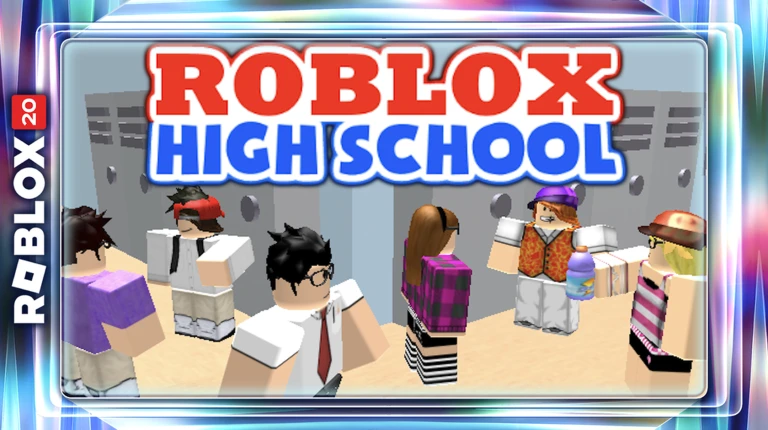
Roblox High School Tix Minigame is the short 2016 hub task you complete before entering the main Roblox High School quest in The Hunt: Roblox 20. Talk to the winged NPC beside the portal, take the Tix it provides and keep using the bright green button until your supplied currency has been spent.
The Roblox High School Tix Minigame is easy to overthink because it looks like a separate reward machine. The objective is simply to use the event Tix on the button until the balance reaches zero, after which the hub step is complete and you can continue through the portal to Chuck’s school storyline.
Roblox High School Tix Minigame: How to Complete It
To complete the Roblox High School Tix Minigame, find the winged NPC on the left side of the Roblox High School portal in the Hunt hub. Interact with that NPC to receive the Tix used for the minigame, then move to the bright green button on the right side and keep activating it.
Each use of the button spends part of the supplied currency and produces old-style Tix themed items. The Roblox High School Tix Minigame finishes when you have worked through the full event balance rather than saving the currency for something later.
- Go to the 2016 Roblox High School section of The Hunt hub.
- Talk to the winged NPC on the left side of the portal.
- Take the Tix supplied for the minigame.
- Move to the bright green button on the right.
- Keep pressing the button until the Tix balance reaches zero.
- Enter the Roblox High School portal and continue with Chuck.
What the green button does
The green button in the Roblox High School Tix Minigame is effectively a spending machine for the temporary Tix you were just given. You may receive nostalgic Tix-themed items while clicking, but the important progression check is using the supplied balance so the hub activity can finish.
You do not need to save the Tix for the school itself, and the classroom quest uses a different progression chain once you enter. Treat the minigame as the doorway into 2016 rather than as a currency-management problem.
Why the minigame is not completing
If the Roblox High School Tix Minigame appears stuck, confirm that you actually spoke to the winged NPC and received the event currency before hammering the button. A button interaction without the correct supplied Tix does not reproduce the intended quest order.
Keep checking the balance as you use the button. If some Tix remain, continue spending them rather than entering the portal early and assuming the hub step will finish in the background.
What happens after the Tix minigame
Once the Roblox High School Tix Minigame is complete, go through the portal into Roblox High School [Legacy]. Chuck is outside the school and begins the longer graduation story, which then sends you to Brian, the Chemistry textbook, the maths exam and the three History relics.
This distinction matters because the hub minigame and Chuck’s Savior Badge are separate pieces of the same 2016 stage. Clearing the button does not award the Time Travel Schoolpack on its own; you still need the complete school quest.
Tix balance or button not working
If the Roblox High School Tix Minigame button refuses to respond or the balance does not fall, try stepping away from the interaction and speaking to the winged NPC again before rejoining. A fresh Hunt hub can also clear a failed event interaction without forcing you to redo the entire school quest.
After the hub step, use the official Roblox High School [Legacy] experience for the main quest if needed. The Roblox High School Tix Minigame itself belongs to the Hunt hub, while the class tasks and relic hunt happen inside the school experience.