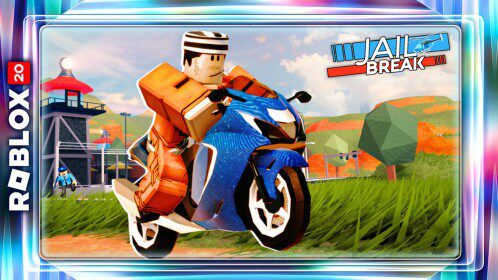
Jailbreak Roblox 20 Quest Badge is the game-side completion badge for Jailbreak during The Hunt: Roblox 20. The shortest reliable route is to reach the Jailbreak year and make sure the Roblox 20 event route is active before entering the temporary map, then find and rescue five different YouTubers around the 2017-themed Jailbreak event map.
The Jailbreak Roblox 20 Quest Badge matters because it is the game-side confirmation that the featured experience has registered your Hunt progress. After that, return to the Hunt hub and claim A Bandit’s Bandana once all five unique rescues register.
How to Get the Jailbreak Roblox 20 Quest Badge
Jailbreak Roblox 20 Quest Badge Image Badimo.
The cleanest Jailbreak Roblox 20 Quest Badge route is to keep the hub requirement and the featured-game requirement separate in your head. Finish each checkpoint in order, watch the event counter after the important interactions, and do not leave the game the instant the last action looks complete.
- Enter the Jailbreak event version from the Hunt progression.
- Confirm the Roblox 20 rescue objective is active.
- Find a YouTuber target and complete the rescue interaction.
- Move to another location and rescue a different creator.
- Continue until five unique YouTubers have registered.
- Wait for the Jailbreak Roblox 20 Quest Badge, then return to the main Hunt hub.
Once the last step completes, give the Jailbreak Roblox 20 Quest Badge a moment to appear before returning to the main Hunt hub. Roblox event progress can take a short moment to sync, and leaving during that handoff can make a finished objective look unfinished until you rejoin.
Why the Five YouTubers Must Be Different
For the Jailbreak Roblox 20 Quest Badge, the objective is based on unique rescues. Repeating the same target is not a reliable way to move the counter, so keep track of which creators you have already saved and move to a new landmark for the next interaction.
Watch the live Hunt objective rather than relying on memory from a normal session. The Jailbreak Roblox 20 Quest Badge is tied to the anniversary state, so ordinary gameplay that resembles the task is only useful when the event tracker is active.
Use the Event Map, Not a Normal Jailbreak Route
The Hunt uses a temporary 2017-style map, which means modern route memory can be misleading. Make sure you are in the event version before following creator locations or troubleshooting a missing rescue.
If you are unsure whether this part counted, check the event progress before repeating it. A visible change in the counter is a better checkpoint than simply assuming the Jailbreak Roblox 20 Quest Badge will catch up after you leave the server.
What Else Is in the Jailbreak Event
For the Jailbreak Roblox 20 Quest Badge, the anniversary update also includes event extras such as 0% Tint, the Star-Truck revamp and other throwback details. Those are separate from the five-rescue completion requirement, so do not confuse owning an event cosmetic with finishing the game-side Hunt badge.
Speed matters less than clean registration. A short, controlled route usually earns the Jailbreak Roblox 20 Quest Badge faster than rushing through several actions and then having to work out which one failed to count.
Jailbreak Roblox 20 Quest Badge Not Appearing
For the badge, if the Jailbreak Roblox 20 Quest Badge does not appear after five rescues, check whether every target was unique and whether each interaction completed. Return to a location for a creator you are certain you have not rescued rather than repeating random targets.
Before replaying the entire quest, rejoin the main Hunt hub once and let the year state refresh. If the badge is already present on your Roblox account, the remaining problem may be hub sync rather than the featured-game objective itself.
Claim A Bandit’s Bandana
Once Jailbreak has recorded the event completion, return to The Hunt: Roblox 20 hub. A Bandit’s Bandana is claimed from the year reward area after the game badge has synced with the wider anniversary progression.
Claim the hub reward before moving on if it is available. The badge and the avatar item are connected, but they are separate checkpoints, and leaving the reward behind can force unnecessary backtracking later.
What to Do After the Jailbreak Roblox 20 Quest Badge
After the badge is secure, return to The Hunt: Roblox 20 and confirm the year is marked complete. Claim the associated reward, then continue through the historical progression rather than replaying the same game objective.
If the hub still looks incomplete while the badge is visible on your account, use the hub-side troubleshooting route first. Rejoining the Hunt and checking the correct year node is safer than deleting a badge or restarting a long quest that has already been completed.