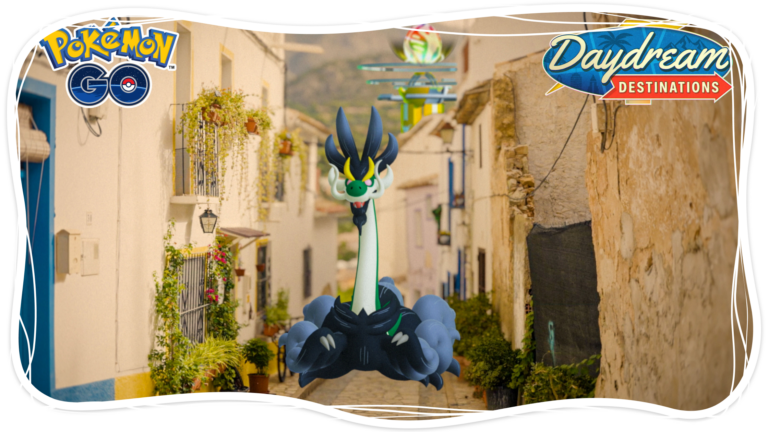
Gigantamax Inteleon remote Max Battles give Pokémon GO players another way to take part in the December 5 event if they cannot reach a busy Power Spot in person. Remote participation requires both a Remote Raid Pass and enough Max Particles for the encounter, so it is worth preparing both resources before your friends start sending invitations.
The featured battles run from 2pm to 5pm local time at the host’s Power Spot, with a separate extended Remote Raid allowance that is useful if you have friends playing in other time zones.
How to join Gigantamax Inteleon Remote Max Battles

Open your friends list and select a friend who is in an available Max Battle, or accept an invitation from the Nearby menu. Once you reach the lobby, check the boss and the number of players before selecting your three eligible Max Pokémon and committing your Remote Raid Pass and Max Particles.
Remote entry does not allow you to use ordinary raid Pokémon. Bring the same sort of Max team you would use at a Power Spot, with Grass or Electric damage dealers and a tank that can survive the regular phase. A well-trained Dynamax Blissey, for example, can support the group while your attacker waits for the Max Meter to fill.
Gigantamax Inteleon Remote Max Battles: Daily Limit
The event increases the daily Remote Raid limit from 10 to 20 between December 4 at 4pm PST and December 5 at 8pm PST. In the UK, this corresponds to midnight at the beginning of December 5 through 4am on December 6. The increased limit is separate from the three-hour local event window.
That means you should watch the local time at the hosting Power Spot rather than assuming the boss will appear everywhere as soon as your daily remote allowance increases. If you are joining Gigantamax Inteleon remote Max Battles with international friends, agree on which region they are playing in and when their event begins.
Gigantamax Inteleon Remote Max Battles: Pass Refunds and Retries
Your Remote Raid Pass is consumed when the battle begins, whether you win or lose, so check the lobby before the countdown finishes. Leaving before the fight starts will not use the pass.
If you lose, you can retry the same boss at the same Power Spot without spending another remote pass, provided you remain there and the boss has not rotated. Max Particles are deducted only after a successful victory, so the two resources follow different rules. Once you leave the encounter and move to a different boss, you should expect to need another pass.
A group that nearly wins is worth sticking with, particularly if you can adjust your roles and try again while the same boss remains available.
Gigantamax Inteleon Remote Max Battles: Shiny Hunting
You have a chance to encounter shiny Gigantamax Inteleon after a successful battle, even if you are joining remotely. The shiny debut is available to free players as well as ticket holders, and there is no announced requirement to buy the event research to qualify.
Set up a saved Max Battle party in advance, clear space in your Pokémon storage, and check your particle balance before joining an invitation. If you expect to play remotely for a while, check the number of passes you have too. Additional particles from the event ticket are useful, but they cannot replace the separate Remote Raid Pass requirement.
The easiest way to avoid wasted passes is to coordinate with a group you trust. A large, organised lobby with suitable attackers and healing support is far more valuable than rushing into the first invitation you receive just because the event has started.
Remote Max Battles do not award the additional rewards reserved for in-person battles. There is also a known display bug that can make a pass look as though it has been used after you leave a lobby, even when the fight never began.
Further reading: Pokémon GO Help Center.
Gigantamax Inteleon Remote Max Battles — Related Pokémon GO Guides
- Can Dynamax Sobble Become Gigantamax Inteleon?
- Dynamax Sobble Evolution
- Gigantamax Rillaboom Weaknesses and Best Counters
- Max Particles Pokémon GO Guide
- Gigantamax Inteleon Max Battle Day Guide in Pokémon GO: Shiny, Bonuses and Times
- Do Failed Max Battles Cost Max Particles?
- Gigantamax Inteleon Group Size in Pokémon GO: How Many Trainers Do You Need?
- Gigantamax Inteleon Max Particle Bonuses in Pokémon GO: Collection Limits and Tips