
This Storage Hunter Simulator beginner guide covers the first few days of trading, from bidding on your first locker to selling enough stock to buy better equipment. It’s tempting to spend everything on an impressive-looking storage unit, but having enough cash for your next auction matters just as much as finding something valuable.
The auction itself is only a small part of the job. You’ll spend a lot of time checking what you’ve bought, loading your truck and making trips to pawnshops and specialists, so a little planning goes a long way.
Storage Hunter Simulator Beginner Guide

Start on Easy if you’d prefer a gentler introduction. Once the tutorial begins, open your tablet, select Auctions and register for a listing. Pick up your starter vehicle from the garage, then follow the map to the auction venue.
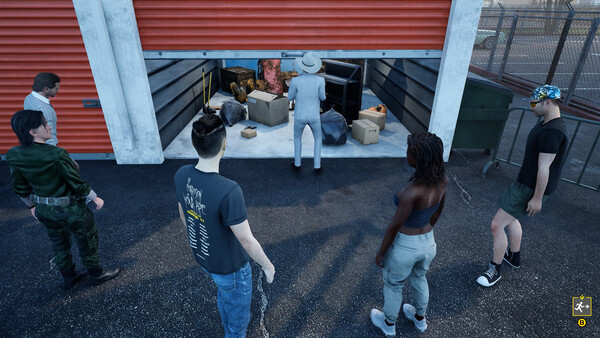
Before bidding, look past the sheer number of objects in the locker and concentrate on the ones you recognise. A small unit with a handful of familiar, valuable items can be a much better purchase than a crowded one full of boxes you haven’t opened.
On PC, Tab opens your tablet, Space starts the auction and E places a bid. Follow the prompts on your screen if you’re using a controller. Finish the tutorial auction and follow its objectives before moving on to more expensive lockers.
The tutorial makes a good starting point for this Storage Hunter Simulator beginner guide, but the routine changes once you’ve got several auctions under your belt. Your starter home has separate vehicle and item storage, so you can leave anything your verifier can’t handle in the warehouse instead of carrying it around all day. Unlocked containers can also hold smaller objects, which helps when you’re trying to fit an entire haul into the truck.
Storage Hunter Simulator Beginner Guide: Identifying Your First Haul
Once the auction is over, use your verification tool to identify each item. If your equipment isn’t advanced enough to identify a valuable piece, set it aside for a specialist or keep it in storage until you can upgrade.
Sell your items and reinvest
Take your verified goods to the local pawnshop and speak to the shopkeeper to sell them. Selling ordinary finds early on gives you cash for another auction without waiting for rare items to be appraised.
Once you have enough local renown and cash, buy your own pawnshop. You’ll be able to sell stock through your own business, manage shelf space and improve your employees, but you’ll need to keep buying lockers to supply it.
For the next stage of this Storage Hunter Simulator beginner guide, prioritise a verifier upgrade if you keep finding blue items. Otherwise, you’ll be spending a chunk of each day travelling to experts and waiting for jobs to finish. Once you own a shop, enable employee listing through its management laptop and bring in verified stock, then collect the proceeds as the items sell.
Your first week checklist
Check your district goals on the tablet map whenever you’re unsure what to aim for next. They give you a more useful shopping list than purchasing whichever upgrade happens to be available.
Keep an eye out for objects that belong to collectors’ sets. Check the reward for each collection before parting with a piece you need.
The last thing you want is a shiny new tool and no money left to buy anything with it. Keep enough cash for another auction, and build up your equipment as your business grows.
The official Storage Hunter Simulator overview covers the game’s editions and multiplayer features.
Related Guides for This Storage Hunter Simulator Beginner Guide
- How to Make Money Fast in Storage Hunter Simulator
- How to Win Storage Auctions in Storage Hunter Simulator
- How to Appraise Items in Storage Hunter Simulator
- How to Find an Expert in Storage Hunter Simulator
- How to Sell Items in Storage Hunter Simulator
- How to Buy a Pawnshop in Storage Hunter Simulator
- How to Increase Reputation in Storage Hunter Simulator
- How to Unlock New Districts in Storage Hunter Simulator