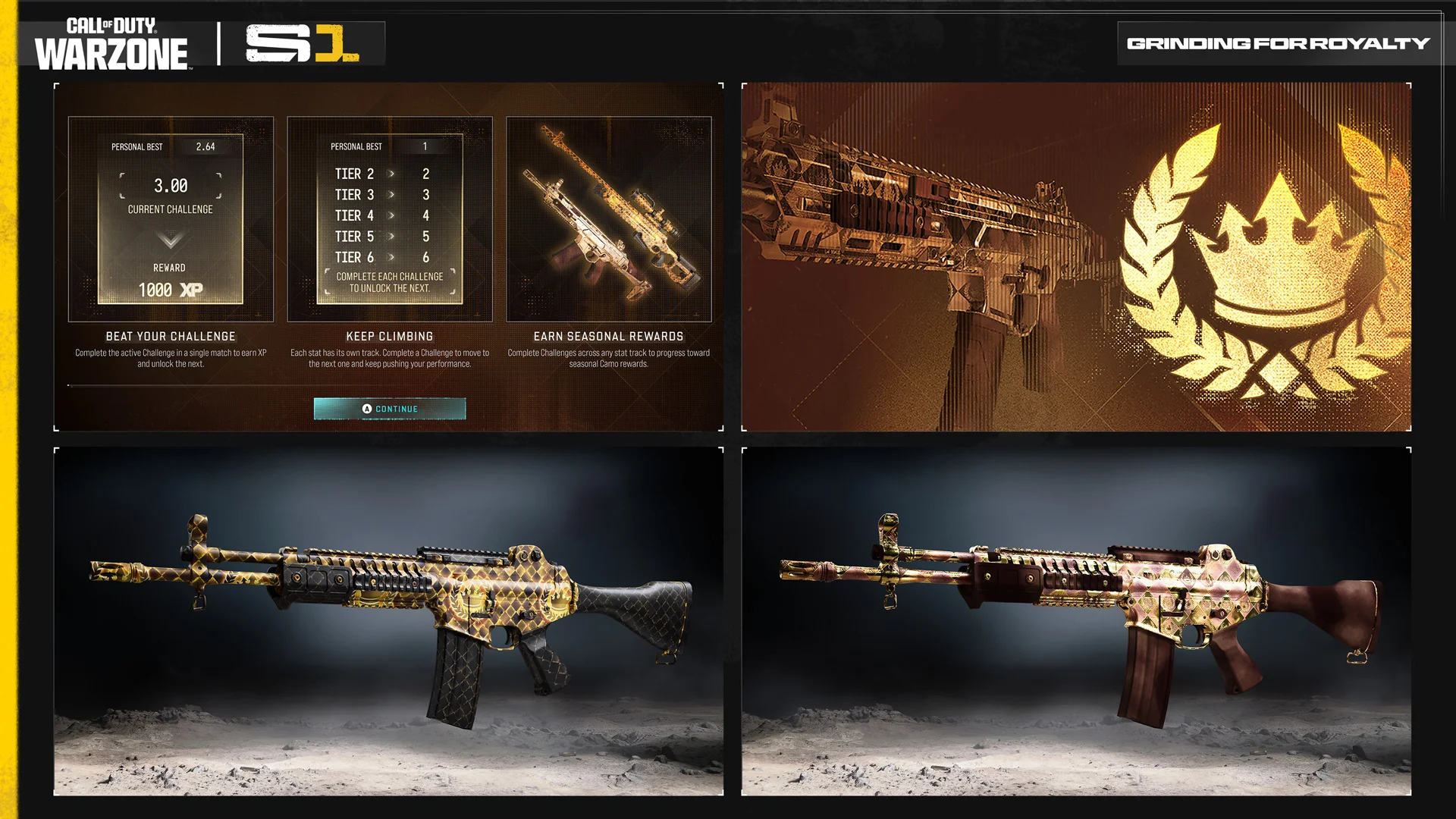
Warzone Royalty Challenges Not Completing on the event screen after a match is a recognised Season 1 issue. Raven says a finished Grind for Royalty objective may not show as complete until you restart the game. That’s different from the broken Win Streak tracking that Raven fixed on November 16.
If you’ve just beaten a personal target and the event still looks unfinished, I’d check your match result before doing the same challenge again. Sometimes the game needs a restart to show the completion you already earned.
Warzone Royalty Challenges Not Completing: try this restart
After the match, open Grind for Royalty in the Events tab and check the task. If it should be complete but isn’t showing, fully close the game, relaunch it and look again. That’s the exact refresh Raven identifies in its known issues.
A missing tick doesn’t automatically mean the reward is gone. Compare your own event target with your actual performance, then try the restart. If you didn’t meet the objective, the menu won’t fix that; if you did, you’ll have a much clearer idea of what’s missing.
What did the November 16 Royalty fix actually change?
Raven fixed Win Streaks not tracking properly on November 16. Earlier fixes on November 7 covered other Personal Best updates including elimination/death ratio, damage and Contracts. Those were tracking problems, not the same thing as a completion marker failing to appear until the game restarts.
The practical question is whether your result failed to count or the event screen failed to update. The first problem affects tracking; the second may clear up after a restart. Both have appeared in the patch notes, but they haven’t had identical fixes.
Warzone Royalty challenges not completing: what happens to rewards?
Raven hasn’t said that the delayed marker permanently wipes earned rewards or automatically restores every older result. After a restart, check both the completed-challenge total and any reward progress before assuming a camo has been lost.
When you’re close to Gold Excellence or Gold Mosaic, the overall number of completed Royalty challenges matters more than a missing notification. That’s the counter I’d look at after relaunching the game.
How do Gold Excellence and Gold Mosaic unlock?
Grind for Royalty sets personalised targets from your previous performance. Gold Excellence unlocks after ten completed challenges, with animated Gold Mosaic at 25, and each challenge awards 1,000 XP. The full event guide explains eligible modes and how those personal goals work.
Your target may be different from another player’s, so a general kill total from a video won’t prove you’ve finished your task. Read the objective on your account and compare it with your match stats.
Warzone Royalty Challenges Not Completing after restarting?
If the challenge remains unfinished after a restart, record the target, your match result and the time it happened. Those details will give a support report something definite to work from.
Warzone Royalty Challenges Not Completing can still happen after the Win Streak fix. I’d try the restart first and keep a record if the completion still won’t show. There’s no confirmed second workaround in Raven’s November 16 list.
Official source: Raven Software’s Warzone Season 1 patch notes and known issues.