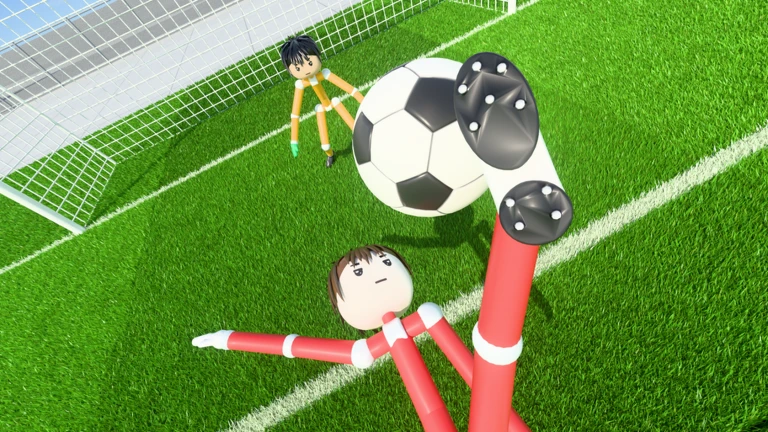
Ragdoll Soccer 8v8 is the Pro mode for players who want bigger football matches with referee decisions rather than just four-versus-four physics chaos. Ragdoll Athletics specifically advertises referees, penalties, free kicks, throw-ins, VAR and offside in this mode.
The developer confirms Pro has referees, penalties, free kicks, throw-ins, VAR and offsides, but hasn’t published a complete in-game rulebook. Here’s how those features affect the match without guessing at buttons or referee decisions.
Ragdoll Soccer 8v8 versus 4v4: what’s different?
| Mode | Teams | Advertised features |
|---|---|---|
| Quickplay | 4v4 | Standard physics-based football matches |
| Clubs | 4v4 | Queue with friends |
| Pro | 8v8 | Referees, penalties, free kicks, throw-ins, VAR and offside |
| Practice | Training mode | Space to learn ball control and shooting |
Because Ragdoll Soccer 8v8 adds more players and more decisions, getting the ball forward isn’t the only thing to think about. A pass towards goal can leave a teammate offside, a bad challenge near the box can be costly, and a ball over the touchline may need a formal restart instead of simply bouncing back into play.
How to join Ragdoll Soccer 8v8 Pro
- Launch the correct Ragdoll Soccer experience by Ragdoll Athletics.
- From the current game-mode menu, look for the 8v8 Pro option.
- Enter the Pro queue or lobby using the control shown on your screen.
- Once in the match, watch for referee stoppages and the appropriate restart rather than playing as if you are still in Quickplay.
The developer’s listing advertises the mode but doesn’t state a universal level requirement, a required Coin payment or a precise matchmaking process. Don’t buy anything merely because someone claims that Pro requires a specific unlock; check the live menu for the actual restriction, if there is one.
What do referees do in Ragdoll Soccer 8v8?
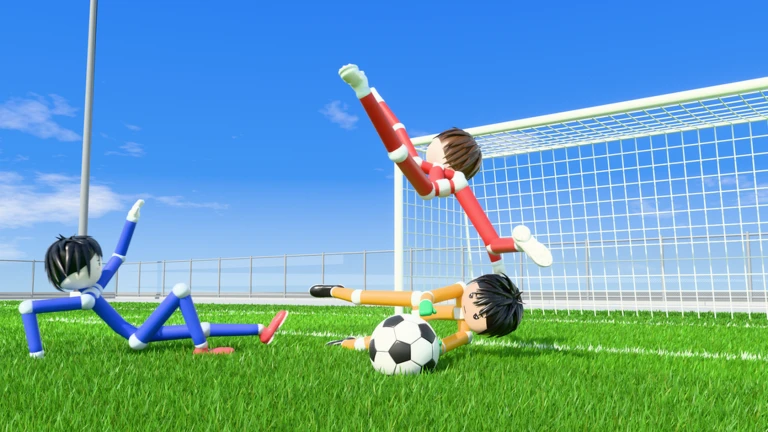
In ordinary football, a referee can stop play for a foul, award a free kick and give a penalty for certain offences in the penalty area. Ragdoll Athletics lists all those systems as Pro features. What it doesn’t publish is an exhaustive rulebook for exactly which ragdoll collisions count as offences, or the controls used to take each restart.
In practical terms, avoid reckless contact around your own goal and watch what the game asks you to do when play stops. If the ball is placed for a free kick, give the taker space. If a penalty is awarded, follow the shooter’s and goalkeeper’s prompts rather than assuming normal open-play shooting behaves exactly the same.
Offside in Ragdoll Soccer 8v8 Pro
In standard football, an attacking player can be in an offside position when a teammate plays the ball if they are nearer the opponents’ goal line than both the ball and the second-last opponent, subject to the law’s exceptions. Being in that position alone isn’t automatically an offence; the player must become involved in active play.
Pro advertises offsides, so it’s sensible to watch your run and time a pass when the forward is level with or behind the relevant defender. However, the game hasn’t published its own edge-case implementation, so we shouldn’t claim that every collision, deflection or restart is judged identically to real-world football laws.
VAR in Ragdoll Soccer 8v8 Pro
VAR means Video Assistant Referee. In real football it is a review system for certain major decisions; in this Roblox game, VAR is a feature named by the developer in the Pro description. No official public explanation sets out whether the review is automatic, whether a player can request it or what appears on screen.
If play pauses for a review, wait for the decision instead of assuming the match has frozen. A replay shown after a goal is not, by itself, proof that every goal will be reviewed in the same way. Treat the prompts in your current server as the authority for what’s happening.
Ragdoll Soccer 8v8 throw-ins and match time
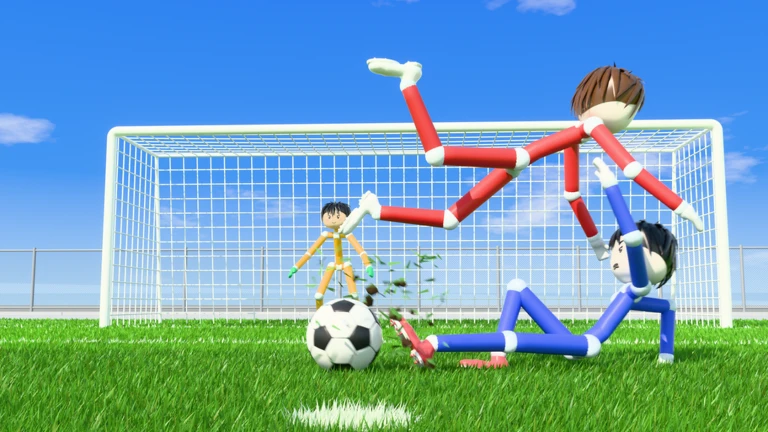
Throw-ins are the standard restart when the ball crosses the touchline in football, and the developer advertises them in Pro. The exact throw animation and button prompt have to come from the current Roblox client. A recent gameplay report mentions a 90-minute match clock, but that is a displayed football clock, not evidence that matches last 90 real-world minutes.
Ragdoll Athletics advertises 8v8 Pro, but hasn’t explained the matchmaking architecture publicly. The eight-player number visible in Roblox starter-place metadata doesn’t describe every possible Pro queue arrangement.
Should you choose Pro or Clubs?
Pick Clubs when your main goal is playing 4v4 with friends; choose Pro when you want the bigger football-style ruleset. New players may find it easier to practise shooting and passing in Quickplay before dealing with offsides or referee stoppages. Our beginner guide has the basic route through the modes.
Choose Ragdoll Soccer 8v8 if you enjoy the extra referee decisions. If you’re still learning to shoot, practise in 4v4 Quickplay first. Follow the current in-game prompts for set pieces and controls that haven’t been documented by the developer.
Related Guides
Official source: Ragdoll Soccer by Ragdoll Athletics on Roblox.