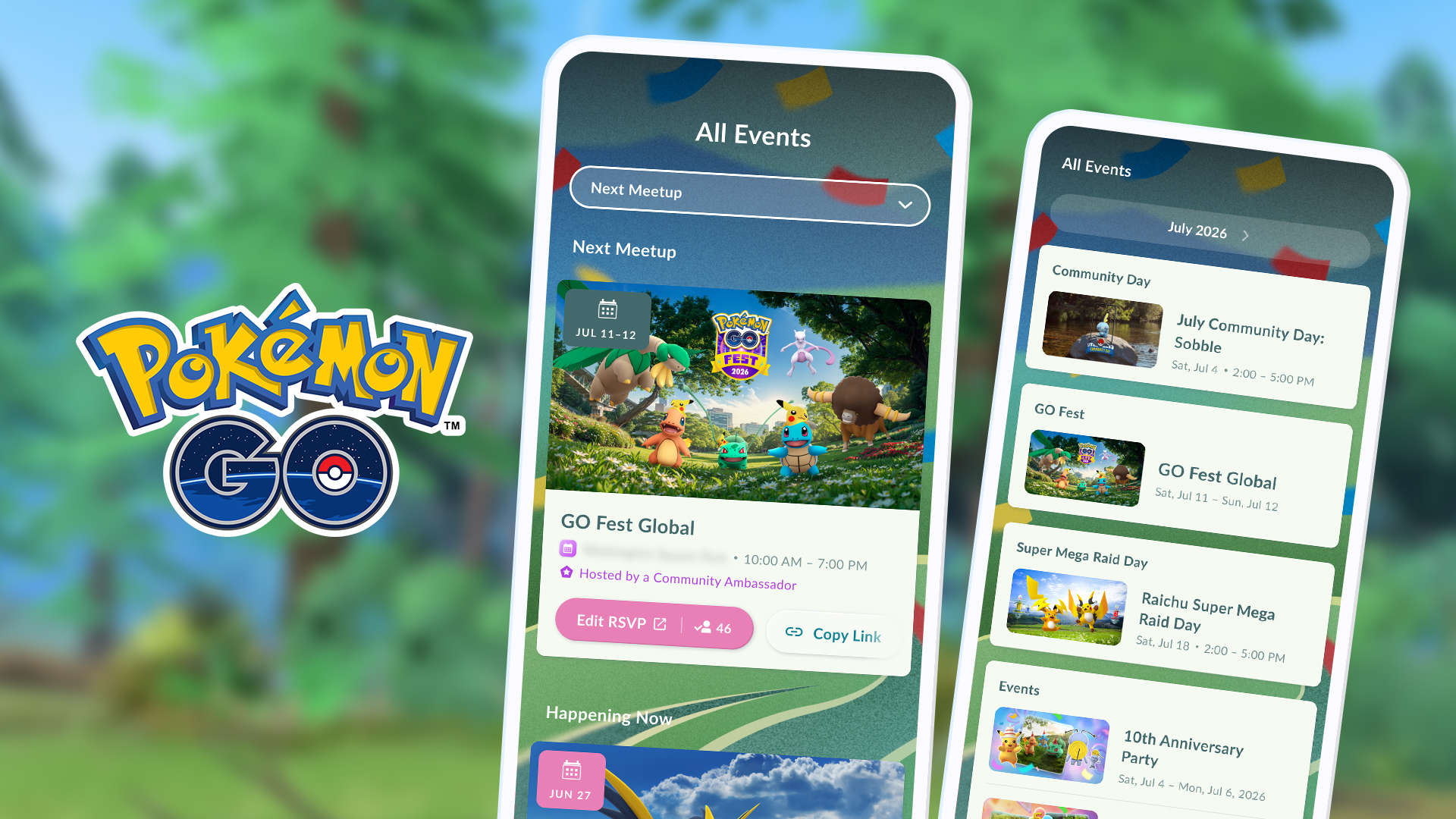
The Pokémon GO Event Calendar is the quickest place to check what is happening in the game and find nearby community meetups. From the map screen, tap the calendar icon in the lower-right corner. You’ll see events running now, what’s coming next, and an option to join a local meetup.
If you’re wondering where Happening Now went, you haven’t missed a setting. Pokémon GO moved it out of Today View when the calendar arrived in July 2026. The new screen also lets you RSVP to eligible community meetups and, when you’re at the venue, check in for event research.
Where Is the Pokémon GO Event Calendar?
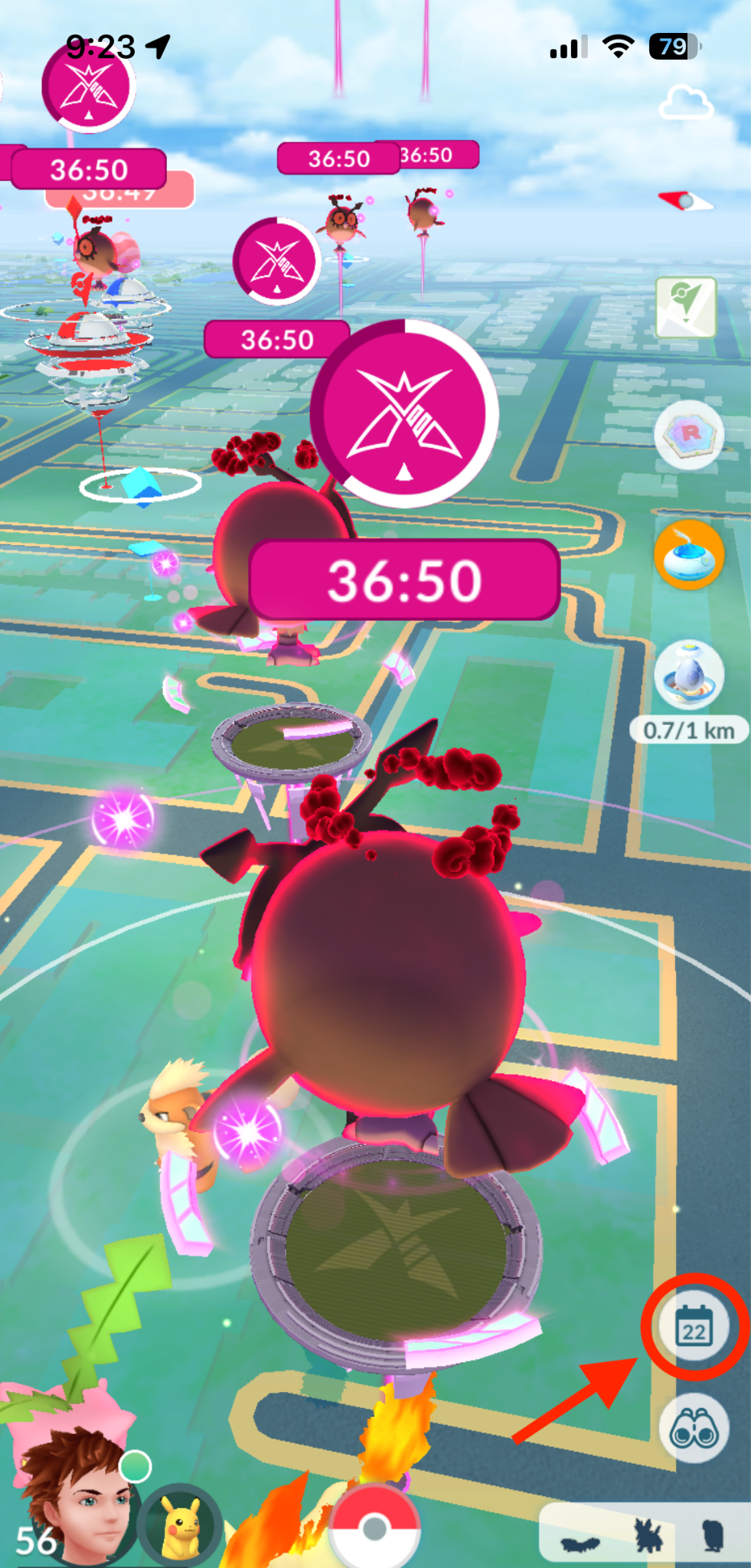
Open Pokémon GO and look at the bottom-right of the main map. Tap the small calendar symbol rather than opening the Today View from the binoculars menu. The calendar shows a Happening Now section and upcoming events. Select an event to read its details and check the advertised dates and bonuses.
Use the category dropdown to narrow the list if several events are running together. For example, this makes it easier to find a Community Day when the game is also advertising raids, GO Pass activities and other timed bonuses. Some cards link to a longer event announcement with the full rules.
Pokémon GO Event Calendar: Where Happening Now Went
The old Happening Now panel has moved into the Pokémon GO Event Calendar. Today View is now mainly for Field Research, Daily Activities and GO Pass progress. If you keep scrolling through Today View to find an event countdown, switch to the calendar instead.
Events can have different start times even on the same day, so open the event card rather than assuming every bonus runs from midnight. If an event has finished, it won’t appear among activities happening now. Upcoming cards are the place to check what starts later.
How to Find a Meetup and RSVP
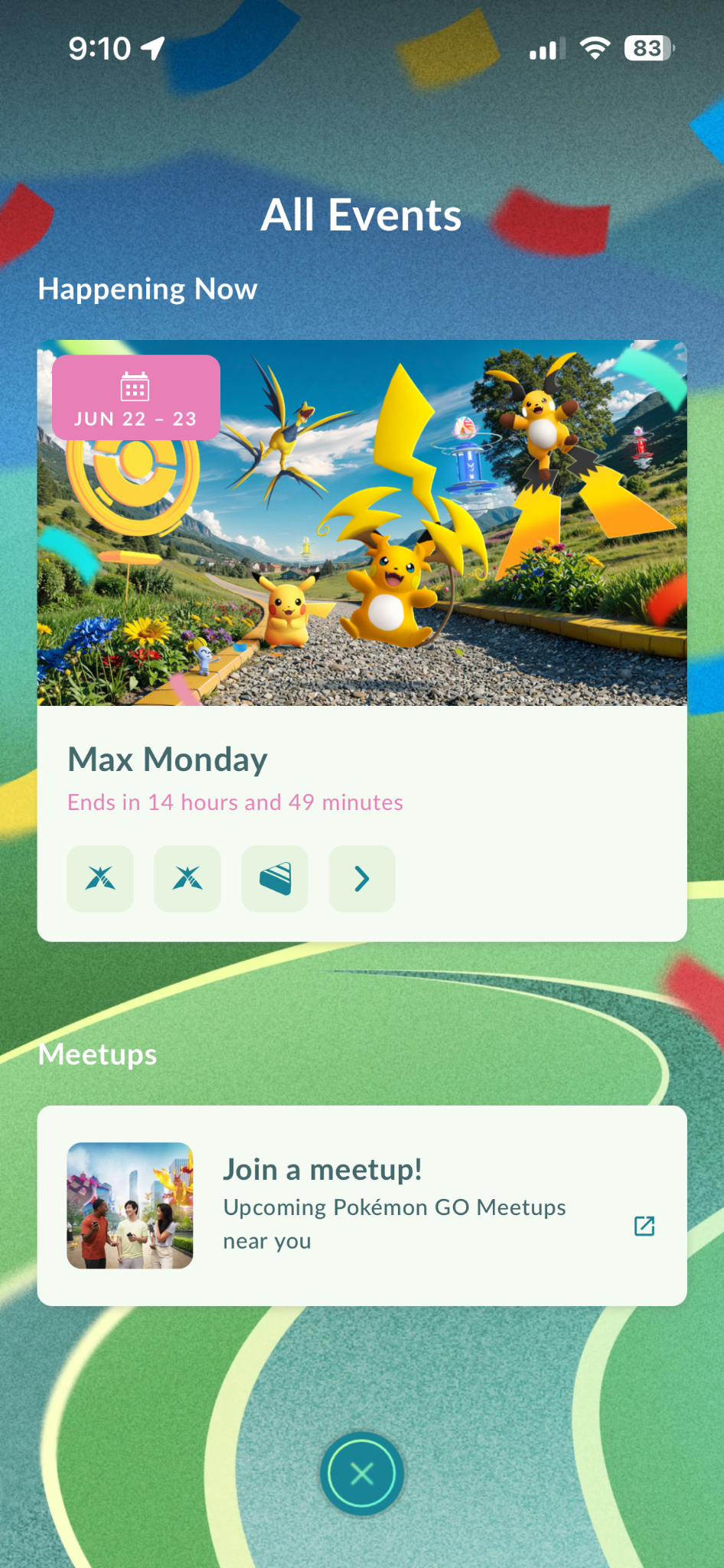
At the bottom of the event calendar, tap Join a Meetup. Browse nearby gatherings and open one to see the location, start time and organiser. Choose Join Meetup or RSVP to let the organiser know you plan to attend. You can edit your RSVP later if your plans change.
Community Ambassador meetups are marked with a purple star. Not every public gathering offers in-game rewards, though. For check-in research, look for the Rewards icon on the event invitation. The Pokémon GO Event Calendar is useful for finding people to play with, but simply pressing RSVP doesn’t give you the rewards.
How to Check In and Receive Meetup Research
Once you reach the correct meetup location, the check-in option becomes available. Pokémon GO’s support instructions say check-in can open 15 minutes before the event starts. On the Campfire map or app, the blue Join Meetup button changes to a green Check In button at the site. Follow the check-in prompt, then return to Pokémon GO.
You’ll get an in-game notification when the check-in succeeds. Here is the bit that’s easy to miss: claim the initial 500 XP within one hour of checking in to receive the full Meetup Check-in Timed Research. You should then see the research in your Timed Research tab. The research and its rewards depend on the event, and you can generally receive the meetup research once in a 24-hour period.
If you’re going to Pawniard Community Day on 21 November, eligible Community Ambassador check-ins offer research with Pawniard Special Background encounters. Our Community Ambassador check-in guide covers the process and what to look for on arrival.
Can You Manage the Pokémon GO Event Calendar on the Web?
Yes. The official Pokémon GO Events website lets you browse upcoming events and meetups on a larger screen. Sign in with the Pokémon GO account you actually play on, then view or manage your RSVPs. Changes made on the website sync with the game, so you don’t need to sign up twice.
It’s handy when you want to check a venue before leaving home. You still have to visit the correct location for in-person check-in and meet the conditions shown for that particular meetup.
Why Can’t I See a Meetup or Claim Its Rewards?
First, clear any event-category filters and double-check the date. If you can’t find the gathering, try searching through Join a Meetup or the Campfire app. The event might be listed under its organiser rather than the name of the wider Pokémon GO event.
If you’re at the venue but no research arrives, check that you RSVP’d and pressed Check In, that the invitation carries the Rewards icon, and that you claimed the initial 500 XP. Restart the game if the successful check-in notification appeared but the research didn’t. Support also notes that you cannot receive the same kind of meetup research again within the previous 24 hours.
The Pokémon GO Event Calendar is free to browse. Individual events may have separately priced tickets, but you don’t need to pay just to look up the calendar or RSVP to a standard meetup.
Related Pokémon GO Guides
Official source: Pokémon GO Event Calendar announcement.