007 First Light One More Twitch Drops are live from October 1 to October 16, 2026, giving players another limited-time outfit reward alongside the Extended Operations update. The One More item is a Twitch Drop, so linking accounts and actually claiming the completed reward in Twitch are both part of the process.
The official 1.3.0 notes confirm the campaign window for 007 First Light One More Twitch Drops. Current campaign information lists One More as the outfit reward and requires one hour of eligible viewing. Because this is a timed promotion, do the account setup before leaving a stream running so your progress is not wasted.
How to get 007 First Light One More Twitch Drops
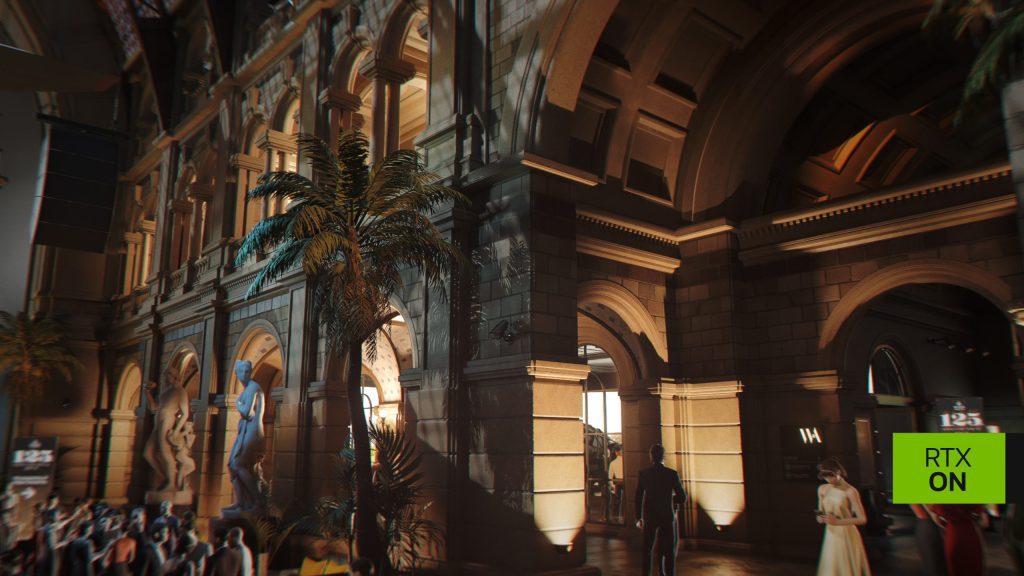
Image credit: IO Interactive
To get 007 First Light One More Twitch Drops, connect Twitch to the IOI Account tied to your game platform, then watch an eligible 007 First Light stream with Drops enabled. After the required watch time completes, claim the reward from your Twitch Drops Inventory.
- Sign into the IOI Account portal.
- Link your Twitch account and the platform where you own 007 First Light.
- Open Twitch and find an eligible 007 First Light stream with Drops enabled.
- Watch for the required campaign time.
- Open Twitch Drops Inventory and press Claim on One More.
- Launch 007 First Light online and check Customization or TacSim.
When does the One More campaign end?
007 First Light One More Twitch Drops run until October 16 at 17:00 UTC according to IO Interactive’s patch notes. The campaign started October 1. Do not leave the claim until the final minutes because Twitch progress and account delivery can take time to refresh.
The time window is separate from the Grey Standard IOI Account reward, which has a November 1 deadline. One More comes from Twitch, while Grey Standard comes from linking the game to an IOI Account.
How much do you need to watch?
Current 007 First Light One More Twitch Drops campaign information lists a one-hour watch requirement for One More. Keep the stream in a normal eligible playback state and check the Drops Inventory progress bar rather than assuming background viewing is counting correctly.
If the percentage is not moving, switch to another 007 First Light channel that clearly shows Drops Enabled. You do not need to guess whether a channel qualifies when Twitch exposes the campaign tag and inventory progress directly.
One More not appearing in game
If 007 First Light One More Twitch Drops are claimed on Twitch but the outfit is missing in 007 First Light, check the account chain first. Twitch needs to be linked to the same IOI Account that is connected to your Steam, Epic, PlayStation or Xbox account.
Then restart the game in Online mode. IOI’s reward guidance says account rewards are delivered through linked accounts and can be checked in the Customization or TacSim areas. If the Twitch claim exists but the IOI account shows no entitlement, reconnect the account relationship before reinstalling the game.
Do you need the Extended Operations DLC?
007 First Light One More Twitch Drops launched alongside Extended Operations, but the reward itself is distributed as a Twitch entitlement. Keep 007 First Light updated so the current outfit data is present, then use the linked-account route to receive it.
The free 1.3.0 update is also worth installing for New Game+, 00 difficulty, Valhalla Protocol and Jungle Heist, but those features are separate from the Twitch watch requirement.
Can you get One More after October 16?
IO Interactive only confirms the current 007 First Light One More Twitch Drops window through October 16. Do not assume the outfit will immediately move to another unlock route after the campaign ends. If you want it, earn and claim it during the listed Twitch window.
007 First Light One More Twitch Drops are a straightforward one-hour promotion, but the deadline and account-linking steps are what catch people out. Link Twitch and your game platform to the same IOI Account, watch an eligible stream, claim the reward in Twitch, then launch the game online to verify One More is available.
A useful final check is to compare the live menu with the current developer notes before changing accounts, saves or purchases. Live-service and post-launch features can move quickly, and the current build should always take priority over older screenshots or launch-week assumptions.